Correct a dimension in place
Add and subtract lengths, or multiply and divide by a number. Every operand stays visible and editable. Enter measurements such as 12′ 3 1/2″ directly instead of converting each one to decimal feet.

TapeSum: Construction Calc · Feet, Inches & Fractions
A focused iOS calculator for contractors, carpenters, remodelers and installers. Enter the feet, inches and fractions on your tape measure, then correct any earlier value without rebuilding the calculation.
An iOS app by Vicky Mawasi.
Coming soon to the App StorePre-release · iOS 17 or later · iPhone and iPad layouts · No account required
Edit any measurementkeep the rest of the calculation
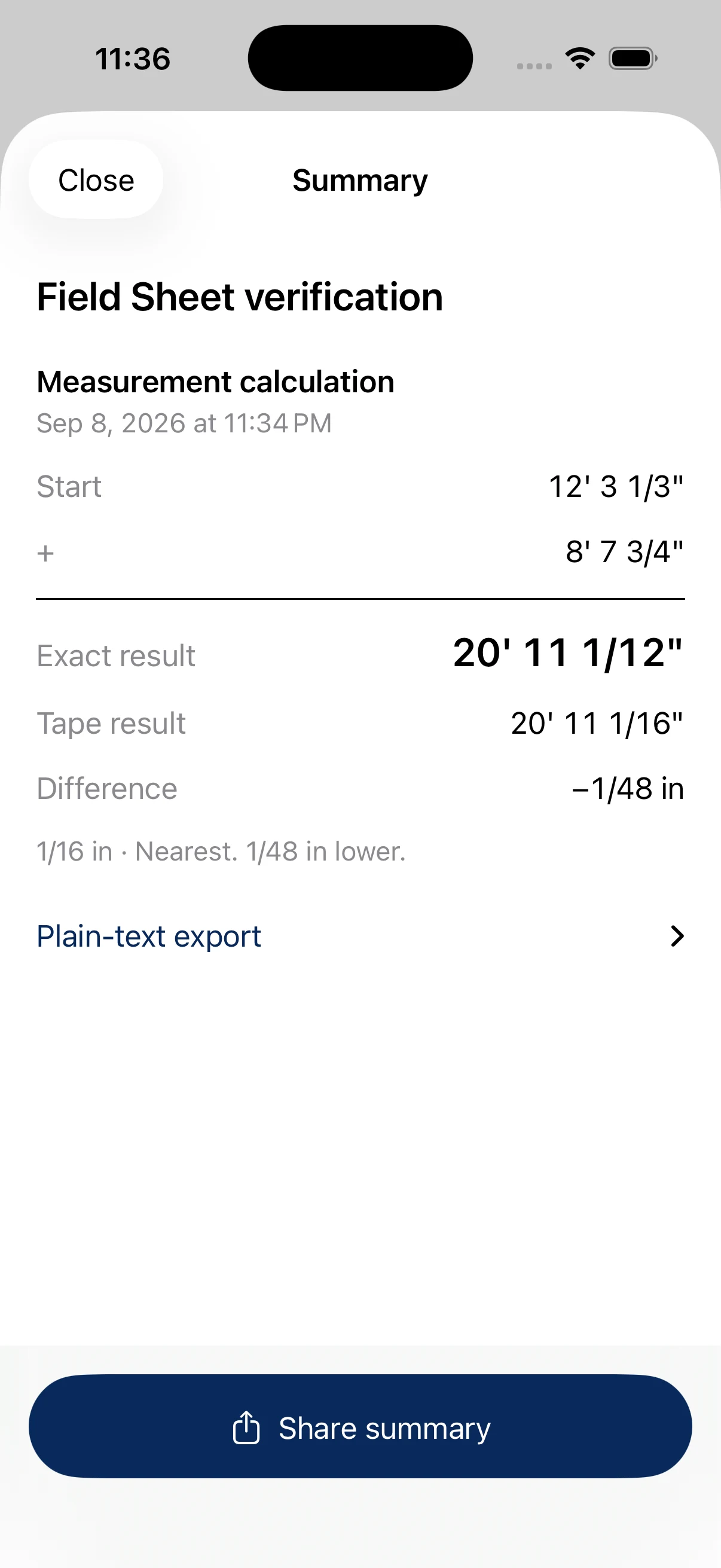
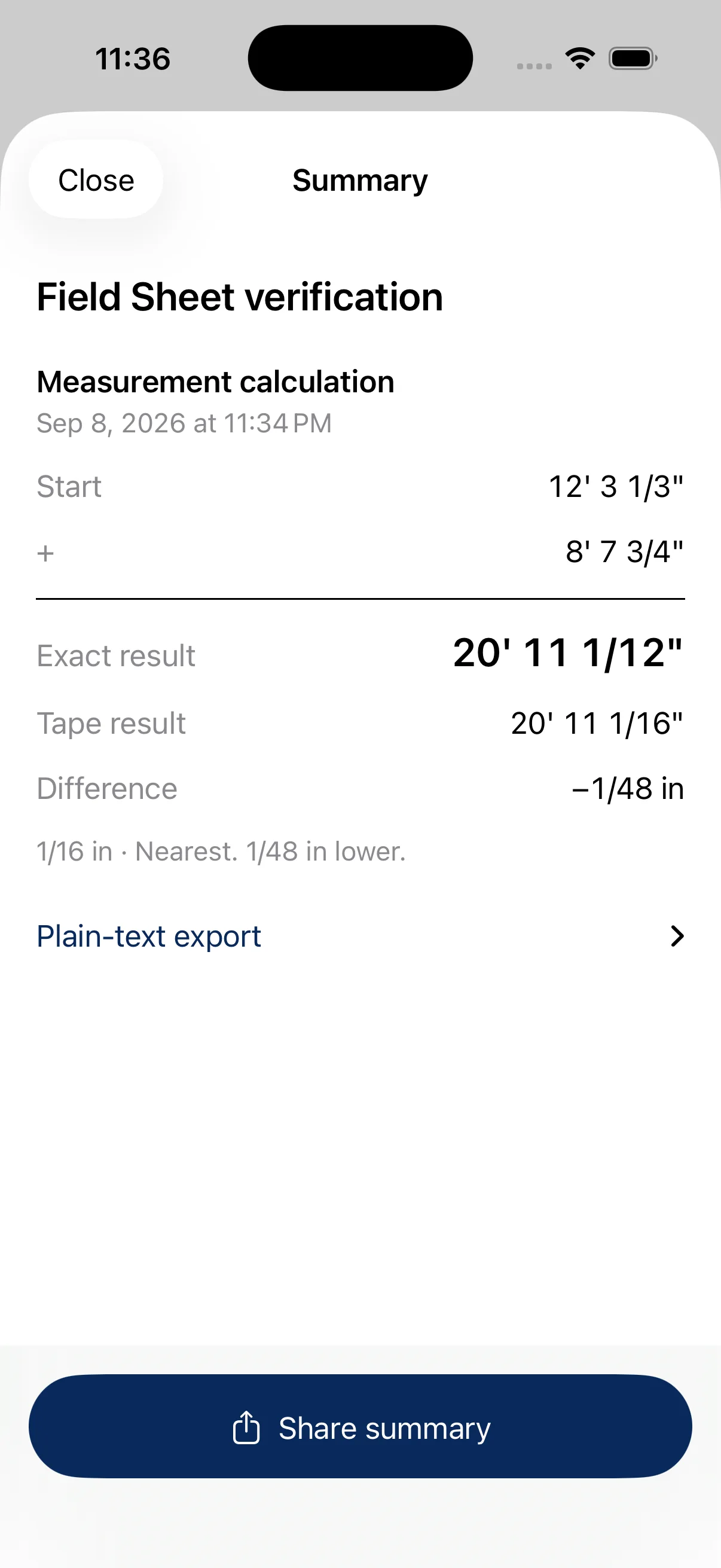
Exact + tape roundedsee what rounding changes
Local worksheetsreturn to saved measurements
Built around the way you measure
Add and subtract lengths, or multiply and divide by a number. Every operand stays visible and editable. Enter measurements such as 12′ 3 1/2″ directly instead of converting each one to decimal feet.
Keep the exact fraction alongside a result rounded to 1/2, 1/4, 1/8, 1/16, 1/32 or 1/64 inch. Choose nearest, down or up and see the signed difference. Rectangle Area calculates square footage from length, width and quantity.
Name a worksheet, keep related calculations together, and duplicate before trying another dimension. Reopen completed calculations from history and share a plain-text summary with inputs, results and rounding details. Free includes one worksheet with three saved calculations; Pro removes those saved-capacity limits.
From the current iOS app
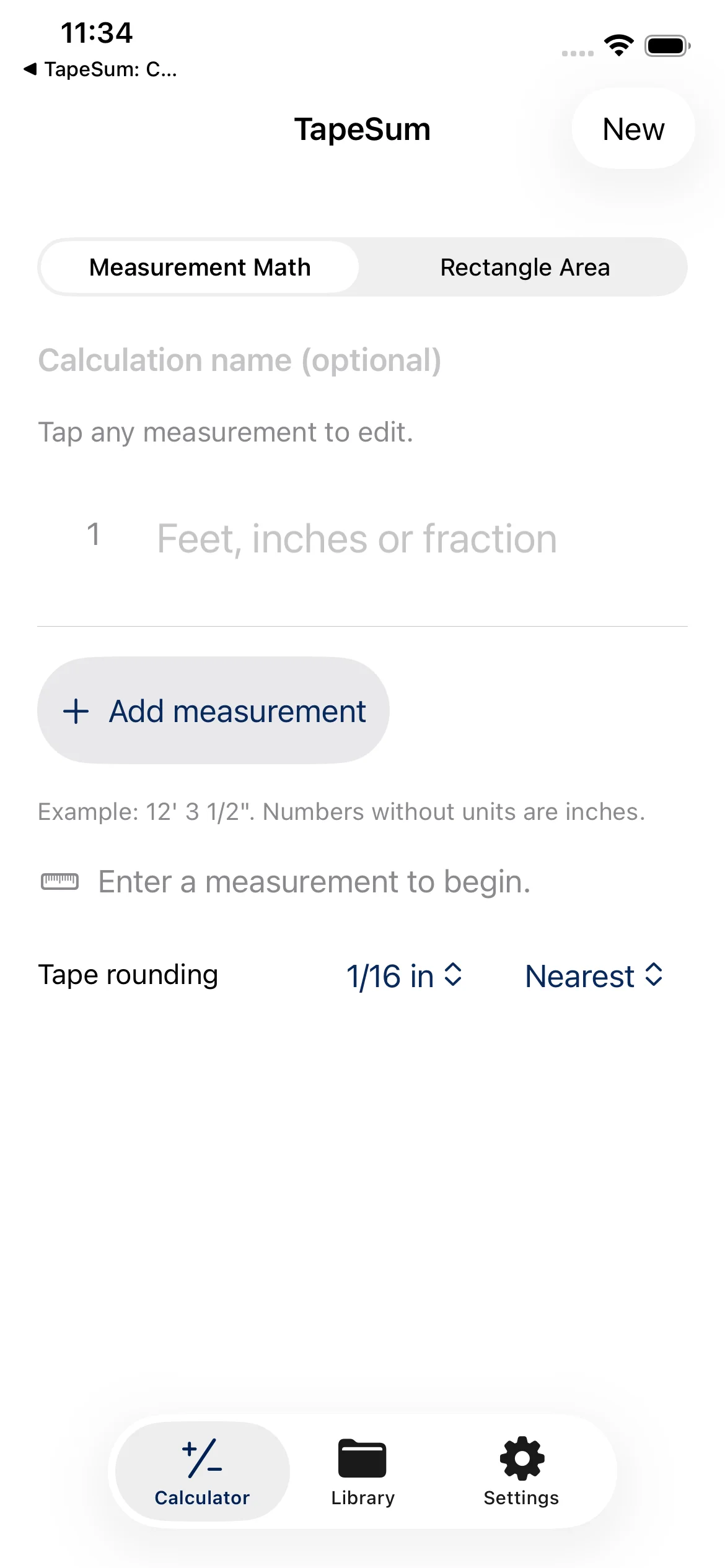
TapeSum is a construction measurement calculator for iPhone, with iPad layouts too. It handles feet, inches and fractions in editable rows, so a corrected dimension changes the result without clearing the other inputs. Use it for measurement arithmetic, rectangular area and a record you can return to—not material estimates or structural calculations.
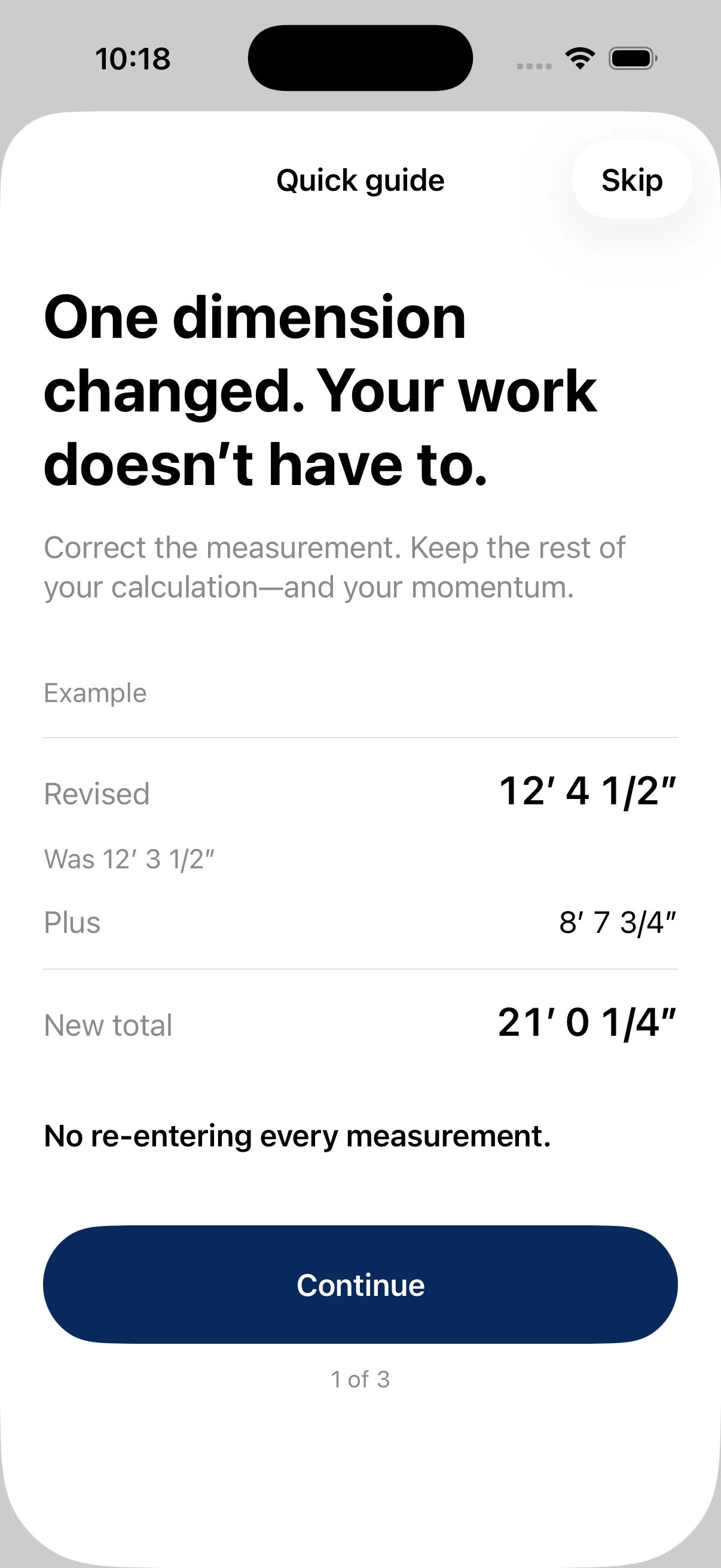
Example: 12′ 3 1/2″ + 8′ 7 3/4″ = 20′ 11 1/4″.
To check this by hand, add like units and carry any full inches or feet:
1/2 + 3/4 = 2/4 + 3/4 = 1 1/4 inches.3 + 7 + 1 1/4 = 11 1/4 inches.12 + 8 = 20 feet. The final result is 20′ 11 1/4″.If your inches total reaches 12, carry 12 inches into one foot. In TapeSum, enter the first measurement, add a row, then enter the second measurement. You can read the exact total and the selected tape-rounded total separately.
Now suppose the first dimension changes to 12′ 4 1/2″. Edit that row only: the total becomes 21′ 0 1/4″. The second measurement stays in place. That is the benefit of an editable measurement worksheet when a trim run or installation dimension changes.
Example: 10′ 0″ − 3′ 7 5/8″ = 6′ 4 3/8″.
One way to verify subtraction is to work in inches. Ten feet is 120 inches, and 3′ 7 5/8″ is 43 5/8 inches. Subtract to get 76 3/8 inches, then divide the whole inches into feet: 72 inches is six feet, leaving 4 3/8 inches.
In the app, choose the minus operator between those two measurements. Multiplication and division use a scalar—a number such as 2—rather than another length. Those operations are evaluated before addition and subtraction. Use the dedicated Rectangle Area mode for length × width.
Example: 7 3/32″ becomes 7 1/8″, a difference of +1/32 inch.
The adjacent sixteenth-inch marks are 7 1/16″ and 7 1/8″. The exact value sits halfway between them. TapeSum’s nearest mode rounds midpoints away from zero, so this positive example goes to the higher mark.
| Rounding mode | Tape result | Tape result minus exact result |
|---|---|---|
| Nearest | 7 1/8 in | +1/32 in |
| Down | 7 1/16 in | −1/32 in |
| Up | 7 1/8 in | +1/32 in |
Choose increments from 1/2 through 1/64 inch. Down means toward negative infinity and Up means toward positive infinity, including for negative results. Rounding changes the displayed tape value; it does not make the original measurement more precise. Check the signed difference before deciding which mark fits your work.
For an increment of 1/n inch, TapeSum rounds exact inches × n to a whole tape tick, then divides by n. Nearest uses midpoint ties away from zero; Down uses floor and Up uses ceiling. The signed rounding difference is rounded inches − exact inches. For example, −7 3/32″ rounds to −7 1/8″ in nearest mode, while Up gives −7 1/16″. These are calculation rules, not advice about acceptable construction tolerances.
For a rectangle measuring 12′ 3 1/2″ by 8′ 7 3/4″, the area is approximately 106.2717 sq ft.
Convert the lengths to inches: 147 1/2 × 103 3/4 = 15,303 1/8 square inches. There are 144 square inches in one square foot, so divide by 144. The exact square-foot result is 106 313/1152 sq ft; 106.2717 is a truncated decimal display, not a replacement for the exact fraction.
In Rectangle Area, enter positive length and width and a positive whole-number quantity. For repeated identical rectangles, quantity multiplies the area. Tape rounding does not change the dimensions used in this workflow. The result is geometric area; it does not include waste, material coverage, openings or prices.
The unit relationships—12 inches per foot and 144 square inches per square foot—are documented in NIST’s tables of units.
The reusable area formula is square feet = length in inches × width in inches × quantity ÷ 144. TapeSum requires positive dimensions and a positive whole-number quantity. These worked examples describe TapeSum’s current pre-release calculation behavior; they do not imply an available App Store release.
For example, name a worksheet “Porch trim” and save a calculation for each measured run. If one run changes, reopen that calculation and edit its input. Make a copy first when you want to compare an alternative without replacing the saved version.
History is the automatic record of completed calculations. A worksheet is the named collection you deliberately save. A shared summary includes the original measurements, results and rounding details so someone else can check the calculation. Sharing produces plain text, not a PDF or a restorable backup.
Yes. Use forms such as 12' 3 1/2", 8', 7 3/4" or 3/8". Unmarked numbers are inches. Decimal input is also accepted with your local decimal separator. Measurement-entry help explains the notation.
Measurement calculations and local worksheets do. Purchase options, restores and entitlement refreshes use Apple and RevenueCat. Sending a shared summary through another app may require a connection. See the privacy policy for the distinction between local content and purchase data.
Measurement math, rectangle area, tape rounding, history and sharing, plus one worksheet with up to three saved calculations. Pro removes those saved-capacity limits. Existing saved work remains accessible without active Pro access. The optional guide and paywall can be dismissed.
No. TapeSum focuses on length arithmetic, rectangle area and revisable worksheets. It does not provide roofing, stair, structural, building-code or estimating tools.
These examples were checked using exact rational arithmetic. For an input or saved-work problem, visit TapeSum support or contact tapesum@gmail.com.
Privacy by design
Calculations and saved worksheets work without an account or an internet connection. Optional Pro purchases use Apple and RevenueCat, which process purchase and technical information and paywall impressions. Sharing a summary is your choice; the destination service may need a connection.
TapeSum: Construction Calc